Get GAMA Dev Code Using Eclipse Plugin
Install GAMA source code with Eclipse plugin
The source code for Gama is downloaded from GitHub using Eclipse by following these steps:
- Open the Git perspective:
- Windows > Perspective > Open Perspective > Other...
- Choose
Git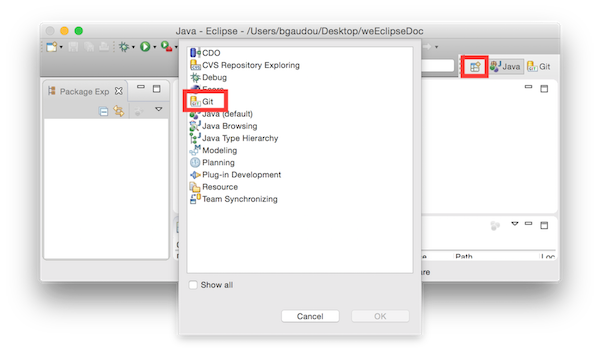
- Click on "Clone a Git repository"
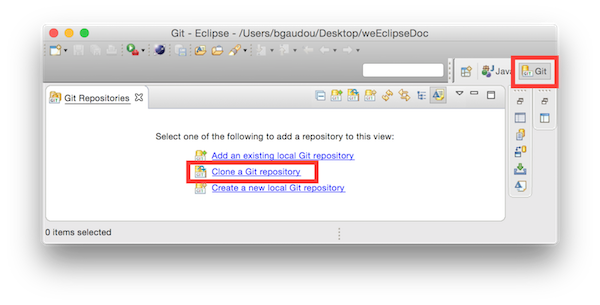
- In Source Git repository window:
- Fill in the URI label with:
https://github.com/gama-platform/gama.git - Other fields will be automatically filled in.
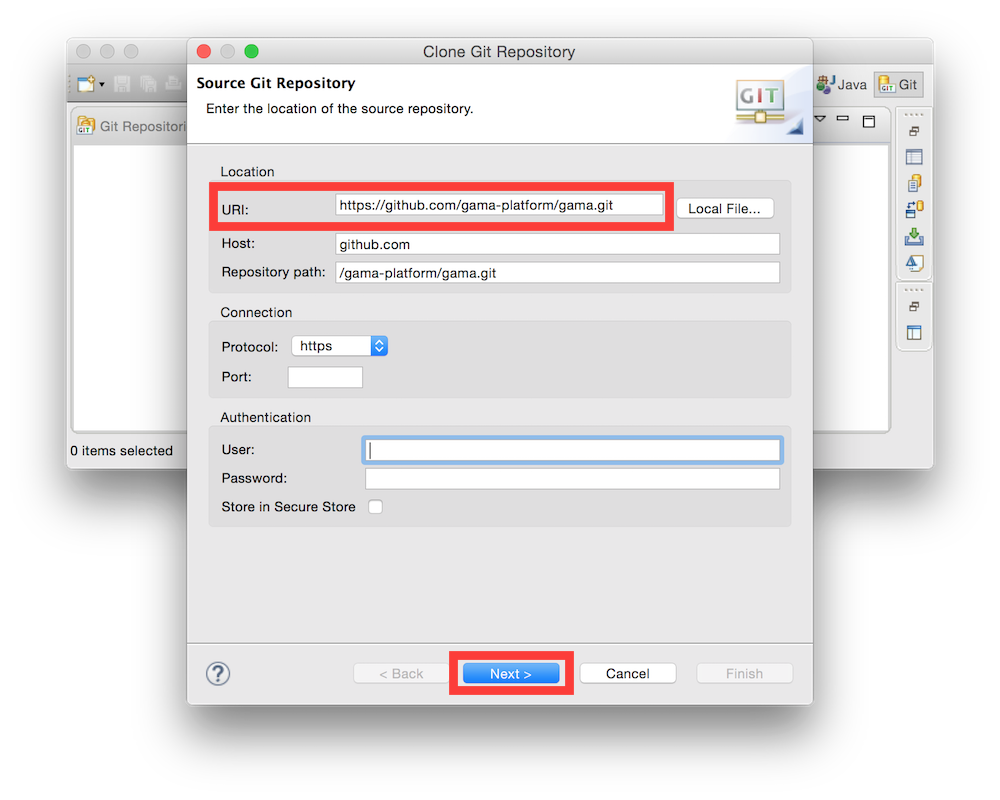
- Fill in the URI label with:
- In Branch Selection windows,
- check the
mainbranch - Next
- check the

- In Local Destination windows,
- Choose a Directory (where the source files will be downloaded).
- Everything else should be unchecked
- Finish
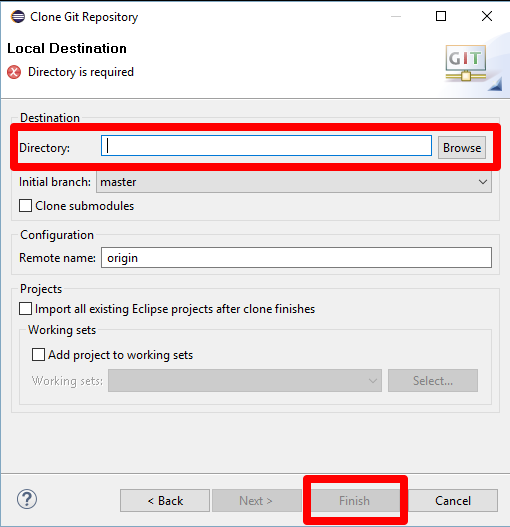
This can take a while...
You can now return to the development version setup page to continue the installation with the "Import projects into workspace" section.
GIT Tutorials
For those who want to learn more about Git and Egit, please consult the following tutorials/papers
- EGIT/User Guide http://wiki.eclipse.org/EGit/User_Guide
- Git version control with Eclipse (EGIT) - Tutorial http://www.vogella.com/tutorials/EclipseGit/article.html
- 10 things I hate about Git http://stevebennett.me/2012/02/24/10-things-i-hate-about-git/
- Learn Git and GitHub Tutorial https://www.youtube.com/playlist?list=PL1F56EA413018EEE1